If you’ve searched for garage door opener repair in Denver because your smart opener stopped connecting, won’t sync with the app, or just isn’t working the way it used to, you’re dealing with one of the most common issues homeowners face today. Smart garage door openers, like MyQ and other Wi-Fi enabled systems, make life easier, until they don’t.
In this guide, we’ll break down how smart openers work, why they sometimes stop responding, and when it’s time to call a professional for garage door opener repair in Denver instead of troubleshooting it yourself.
What Is a Smart Garage Door Opener?
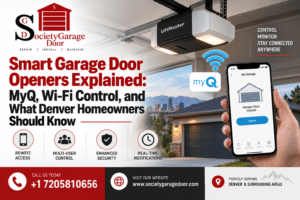
A smart garage door opener connects your garage door to your home Wi-Fi network, allowing you to open, close, and monitor your door from a smartphone app, no matter where you are. Instead of relying only on a physical remote or wall button, you get real-time alerts, activity history, and the ability to grant access to family members or delivery services remotely.
The most well-known brand is MyQ, used by Chamberlain, LiftMaster, and Craftsman openers, but several other brands offer similar Wi-Fi connected systems. While these openers add convenience, they also introduce a new layer of technology that can go wrong, which is why more Denver homeowners are searching for garage door opener repair in Denver than ever before.
How Smart Garage Door Openers Work

Understanding the basics helps you figure out where the problem might be before calling for help.
- The opener unit controls the physical motor that raises and lowers the door
- A Wi-Fi or Bluetooth module connects the opener to your home network
- The mobile app sends commands to the opener through the internet or your router
- Photo-eye sensors still function as the built-in safety system, regardless of smart features
- A cloud server relays commands between your phone and the opener when you’re away from home
When any one of these pieces fails, whether it’s your router, the app, or the opener hardware itself, the whole system can stop responding.
Common Smart Opener Problems Denver Homeowners Report
Denver’s mix of older homes, newer smart-home renovations, and unpredictable weather creates a unique set of challenges for smart garage door openers.
Problem | Likely Cause |
App shows “offline” or “disconnected” | Wi-Fi signal drop or router issue |
Door doesn’t respond to app commands | Opener not connected to Wi-Fi, or firmware needs updating |
Notifications stopped working | App permissions or cloud connection issue |
Remote works, but app doesn’t | Wi-Fi module failure inside the opener |
Door responds with a delay | Weak signal between opener and router |
Opener won’t pair with a new phone | Account sync error or outdated app version |
If basic troubleshooting doesn’t resolve these issues, it’s a strong sign you need garage door opener repair in Denver from someone who understands both the mechanical and the smart-tech side of these systems.
Why Wi-Fi Connectivity Struggles in Denver Garages
Garages are notoriously bad spots for Wi-Fi signal, and Denver homes add a few extra challenges on top of that.
- Detached garages are often too far from the router to get a strong signal
- Metal garage doors can interfere with wireless signals when closed
- Thick insulation, common in Denver homes built for cold winters, can weaken Wi-Fi penetration
- Elevation and construction materials in older Denver neighborhoods sometimes create dead zones
- Seasonal temperature swings can affect the electronics inside the opener’s Wi-Fi module
If your smart opener constantly drops connection, the fix might be as simple as a Wi-Fi extender, or it could point to a failing module that needs professional garage door opener repair in Denver.
Troubleshooting Steps Before Calling for Repair
Try these steps first. Many connectivity issues can be resolved in under 10 minutes without any tools.
Step 1: Restart the Opener
Unplug the opener unit for 30 seconds, then plug it back in. This resets the Wi-Fi module and often resolves minor glitches.
Step 2: Check Your Router
Confirm your home Wi-Fi is working normally on other devices. If your internet is down or your router recently changed passwords, the opener will lose its connection too.
Step 3: Update the App and Firmware
Open the MyQ or manufacturer app and check for pending updates. Outdated firmware is one of the most common reasons openers stop syncing correctly.
Step 4: Move the Router or Add a Wi-Fi Extender
If your garage is far from the router, a simple extender placed closer to the garage can solve persistent connectivity problems.
Step 5: Re-Pair the Opener
Most apps have a “remove device” and “add device” option. Removing and re-adding the opener can fix stubborn sync errors.
If you’ve worked through all five steps and the opener still won’t connect or respond, the issue is likely hardware-related, and that’s where professional garage door opener repair in Denver comes in.
DIY Troubleshooting vs. Professional Garage Door Opener Repair in Denver
Situation | DIY Fix | Call a Professional |
App shows “offline” occasionally | Yes, restart usually helps | Not needed |
Weak Wi-Fi signal in garage | Yes, extender often fixes it | Not needed |
Firmware or app update needed | Yes, update through app | Not needed |
Opener won’t pair after multiple attempts | Sometimes | Yes, recommended |
Motor runs but Wi-Fi module is dead | No | Yes, recommended |
Opener grinds, stalls, or makes new noises | No | Yes, urgent |
Door works with remote but not app, even after resets | No | Yes, recommended |
Smart features are a convenience layer, but the underlying opener is still a mechanical system with moving parts, gears, and safety components. If the motor itself is struggling or making unfamiliar sounds, that’s a mechanical issue, not just a Wi-Fi one, and it needs a trained technician.
Why This Matters for Home Safety, Not Just Convenience
A garage door opener isn’t just about tapping an app from your couch. It’s connected to a heavy door, safety sensors, and in many homes, the main entry point into the house. A malfunctioning opener, whether it’s a wiring fault, a failing motor, or a broken safety reversal system, can turn into a real safety risk if left unresolved.
At Society Garage Door, our technicians are trained to diagnose both the mechanical and smart-tech sides of modern openers. We understand how Denver’s climate, home construction, and Wi-Fi environments affect these systems differently than in other cities, which means we can often identify the real cause faster than a generic troubleshooting guide.
When to Call Society Garage Door
Reach out for professional garage door opener repair in Denver if:
- The opener won’t connect to Wi-Fi even after resetting the router and app
- You hear grinding, clicking, or straining noises from the motor
- The door responds inconsistently or with a noticeable delay
- Firmware updates fail repeatedly or the app won’t recognize the device
- The opener is more than 10 years old and struggling to keep up with newer smart features
Our team can diagnose most smart opener issues, mechanical or connectivity related, in a single visit.
Tips to Keep Your Smart Opener Running Smoothly
- Keep the opener’s firmware and app updated regularly
- Position your router as close to the garage as reasonably possible
- Avoid storing metal shelving or appliances directly next to the opener unit
- Schedule an annual maintenance check to catch mechanical wear before it affects the smart features
- Restart your opener every few months, similar to restarting a router
A little upkeep goes a long way toward avoiding an unexpected search for garage door opener repair in Denver down the road.
Frequently Asked Questions
This usually means the opener has lost its Wi-Fi connection. Restarting the opener, checking your router, and updating the app are the first steps to try before assuming a hardware problem.
Many openers can be upgraded with a smart add-on hub, like a MyQ smart hub, without replacing the entire opener. A technician can confirm whether your current opener is compatible.
Often, yes. Restarting the opener, updating firmware, or adding a Wi-Fi extender resolves most connectivity problems. If the issue persists after trying these steps, professional garage door opener repair in Denver may be needed.
Yes. Temperature swings, detached garages, and thick home insulation common in Denver can all weaken Wi-Fi signal or stress the opener’s electronics over time.
Costs depend on whether the issue is connectivity-related, a worn motor, or a full opener replacement. Contact Society Garage Door for an accurate quote based on your specific opener and issue.
Conclusion
Smart garage door openers like MyQ bring real convenience to Denver homeowners, but they also add a layer of technology that can occasionally fail alongside the usual mechanical parts. Most connectivity hiccups can be solved with a quick restart, an app update, or a stronger Wi-Fi signal. But when the motor struggles, the Wi-Fi module fails, or the door behaves unpredictably, it’s time to bring in a professional.
If your smart opener isn’t working the way it should, Society Garage Door offers reliable, experienced garage door opener repair in Denver for both the mechanical and smart-tech sides of your system. Contact us today to get your opener back in sync.